Boost Your Mini PC with an eGPU Dock: A Simple Upgrade Guide
Sofía García ·
Listen to this article~5 min
Unlock hidden power in your mini PC. Discover how an external GPU (eGPU) dock can transform it for gaming and creative work, all without buying a new computer.
So, you love your mini PC. It's tiny, quiet, and fits perfectly on your desk. But maybe you've hit a wall. You want to play the latest games or run demanding creative software, and that little machine just can't keep up. I was right there with you.
Then I tried something that felt like a magic trick: an external GPU dock, or eGPU. It's not a new concept, but it's become incredibly accessible. This isn't about buying a whole new computer. It's about giving your existing favorite a massive shot of adrenaline.
### What Exactly Is an eGPU Dock?
Think of it like this: your mini PC is a smart, efficient city car. It gets you where you need to go for daily tasks. An eGPU dock is like hitching a professional race car engine to the back of it. Suddenly, you have the power for tasks that were previously impossible.
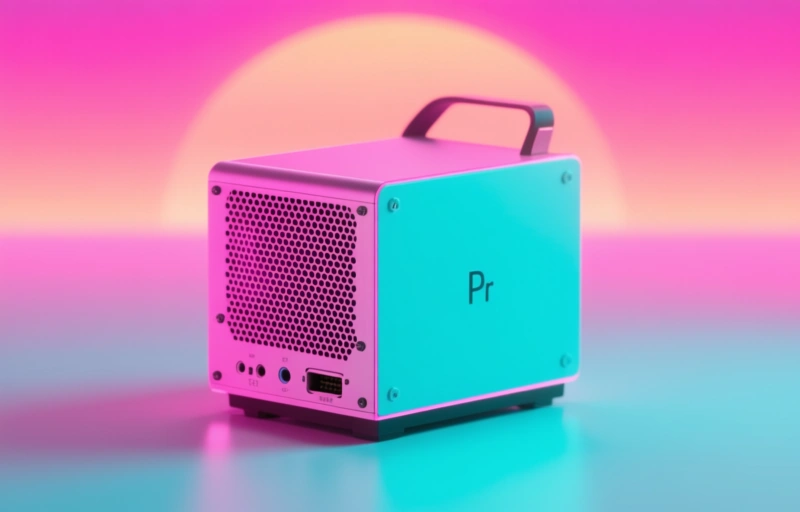
Technically, it's an external enclosure that connects to your computer via a high-speed port, usually Thunderbolt 3 or 4. You install a standard desktop graphics card inside it. When connected, your system can leverage that powerful external GPU for graphics-intensive work. It's a game-changer for mini PC users who are space-conscious but performance-hungry.
### Why This Upgrade Makes Sense Now
The timing has never been better. Mini PCs from brands like Prime Computer are more capable than ever, often housing powerful CPUs. Their main limitation is graphics, as they rely on integrated or very low-profile GPUs. An eGPU solves that single point of failure without any internal modifications.
Here’s what you can realistically expect after connecting one:
- **Gaming Performance:** Play modern AAA titles at smooth frame rates and higher settings.
- **Creative Work:** Drastically reduce render times in video editing, 3D modeling, and CAD software.
- **Future-Proofing:** You can upgrade the graphics card in the dock later without touching the mini PC.
It's a modular approach to computing power. You invest in the dock once, and the GPU upgrades can follow as needed.
### The Setup Process: Easier Than You Think
I'll be honest, I was nervous about compatibility and a complex setup. But the process was surprisingly straightforward. Most modern docks are truly plug-and-play. You'll need a compatible mini PC with a Thunderbolt port, the dock itself, a desktop GPU, and the power cables.
The basic steps are:
- Power down everything.
- Install your chosen graphics card into the eGPU dock's internal slot.
- Connect the dock to power.
- Use a Thunderbolt cable to connect the dock to your mini PC.
- Power on the dock, then power on your mini PC.
Your operating system should detect the new hardware and guide you through installing any necessary drivers. The whole thing took me about 20 minutes from unboxing to a working system.
### Choosing the Right Components for You
Not all docks and cards are created equal. Here are a few things to consider before you buy:
- **Dock Compatibility:** Ensure the dock supports the physical size and power requirements of the graphics card you want. Some are compact, others fit full-sized cards.
- **GPU Selection:** You don't need the most expensive card. A mid-range model from the last two generations offers a phenomenal boost over integrated graphics. Balance your budget with your performance goals.
- **Port Availability:** The dock will use your mini PC's Thunderbolt port. Make sure you have a plan for any peripherals that were using that port.
As one industry observer noted, *'The beauty of the eGPU is its democratization of high-end graphics. It turns a portable device into a workstation on demand.'*
### The Real-World Impact
After the upgrade, the difference was night and day. My mini PC went from struggling with older games to handling new releases with ease. Video exports that used to make me go get a coffee now finish in a fraction of the time. The best part? When I'm done with heavy lifting, I can disconnect the dock and have my sleek, silent mini PC back for everyday tasks.
It feels like having two computers in one. There's a slight trade-off—you lose about 10-15% of the GPU's performance compared to it being inside a full-sized desktop due to the Thunderbolt bottleneck—but the sheer convenience and flexibility more than make up for it.
If you've been loving your mini PC but wishing for more graphical muscle, this is the upgrade path you've been waiting for. It's simple, reversible, and incredibly effective. You don't have to abandon the form factor you love to get the performance you need.