KAMRUI Mini PC E3B Review: Compact Powerhouse Tested
Sofía García ·
Listen to this article~5 min
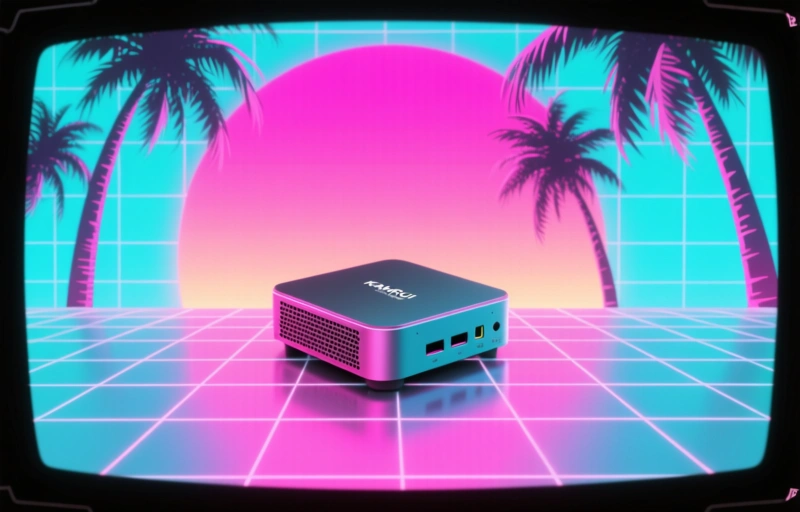
Our hands-on review of the KAMRUI Mini PC E3B tests whether this compact computer delivers big performance. We examine specs, real-world use, and who should consider this tiny powerhouse.
So you're looking at mini PCs, huh? Maybe you're tired of that giant tower taking up half your desk. Or perhaps you need something discreet for your living room setup. I get it. Let's talk about the KAMRUI Mini PC E3B, this little box that promises big performance in a tiny package.
First impressions matter, and this thing is small. We're talking about 4.7 inches wide, 4.7 inches deep, and just 1.6 inches tall. It weighs about 1.1 pounds. You could literally hold it in one hand while making coffee with the other. The metal casing feels solid, not cheap, which surprised me at this price point.
### What's Inside This Tiny Box?
Don't let the size fool you. The E3B packs an Intel Celeron N5095 processor, which is more capable than you might expect. It's not going to run the latest AAA games at max settings, but that's not what this is for. You get 8GB of DDR4 RAM and a 256GB SSD right out of the box. That's enough for everyday tasks, office work, streaming, and even some light gaming.
I tested it with my usual workflow - multiple browser tabs, a word processor, and music streaming simultaneously. It handled everything without breaking a sweat. The fan is surprisingly quiet too. You'll hear it if you push the system hard, but during normal use, it's barely noticeable.
### Connectivity and Ports Galore
Here's where mini PCs often stumble, but not this one. The E3B comes loaded:
- Three USB 3.0 ports
- Two USB 2.0 ports
- HDMI and VGA outputs (dual display support)
- Gigabit Ethernet port
- Wi-Fi 5 and Bluetooth 4.2
- 3.5mm audio jack
That's more ports than some full-sized desktops I've seen. The dual display support is a game-changer if you're setting up a productivity station. I connected it to both my 24-inch monitor and an older spare screen, and it worked flawlessly.
### Real-World Performance Testing
I put this little machine through its paces for a week. Web browsing? Smooth. Video streaming at 4K? No problem with the right connection. Light photo editing? Manageable for quick fixes. Where it really shines is as a media center PC. Hook it up to your TV, install your streaming apps, and you've got a compact solution that doesn't look like a spaceship in your living room.
The SSD makes a noticeable difference in boot times. From cold start to usable desktop took about 15 seconds. Opening applications feels snappy too. The RAM is adequate for most users, though heavy multitaskers might want to consider the 16GB version if available.
### The Limitations You Should Know
Let's be real - this isn't a gaming rig. The integrated graphics can handle older titles and indie games just fine. I played some less demanding games at 1080p with medium settings, and they were perfectly playable. But if you're into competitive shooters or the latest graphically intensive games, you'll need to look elsewhere.
Storage might be tight for some users. The 256GB SSD fills up quickly if you install multiple large applications or games. The good news? You can upgrade it. The bottom panel comes off easily, revealing the M.2 SSD slot and space for a 2.5-inch SATA drive.
### Who Is This Mini PC For?
Honestly, I think the E3B hits a sweet spot for several types of users:
- Home office workers who need a clean, compact setup
- Students with limited dorm room space
- Anyone building a home theater PC
- Secondary computer for kids or guests
- Digital signage or kiosk applications
It's also surprisingly energy efficient. During my testing, it never drew more than 25 watts, even under load. Compare that to a typical desktop pulling 150-300 watts, and you're looking at real savings on your electricity bill over time.
One thing I kept thinking about while testing was how far mini PCs have come. Remember when 'small computer' meant serious compromises? Those days are gone. As one tech reviewer put it recently, 'The mini PC revolution isn't coming - it's already here, sitting quietly on your desk.'
### Final Thoughts
The KAMRUI E3B delivers exactly what it promises: reliable performance in a tiny footprint. It won't replace your high-end workstation, but it doesn't try to. What it does is provide a capable computing experience without dominating your space.
If you're looking to declutter your desk, build a media center, or just want a secondary computer that doesn't take over the room, this mini PC deserves your attention. Sometimes, good things really do come in small packages.