Top Mini PC Deals: Intel & AMD Picks for Power & Gaming
Sofía García ·
Listen to this article~5 min
Discover the best mini PC deals for Intel and AMD systems. We break down the top picks for performance, gaming, and productivity to help you find the perfect compact powerhouse.
Hey there, let's talk about something that's quietly changing the game for a lot of us: mini PCs. You know, those tiny boxes that pack a serious punch without hogging your entire desk. If you're looking to upgrade your setup, save some space, or just get more bang for your buck, you've come to the right place.
I've been digging into the latest deals, and let me tell you, the options are better than ever. Whether you're a professional needing reliable power for work, a gamer craving smooth frames, or someone who just wants a sleek media center, there's a mini PC out there with your name on it.
The real magic is in the choice. Do you go with Intel's latest processors, known for their strong single-core performance and efficiency? Or do you lean into AMD's Ryzen chips, which often offer more cores and threads for the money? It's not a one-size-fits-all answer, and that's okay. We'll break it down.
### Finding the Right Mini PC for Your Needs
First things first, you've got to figure out what you actually need. Are you editing 4K video, or are you mostly browsing the web and streaming movies? Your workload dictates the specs. For general productivity and media, a system with a modern Intel Core i5 or AMD Ryzen 5 is a sweet spot. It'll handle multitasking like a champ without breaking the bank.
For more intensive tasks—think gaming, 3D modeling, or serious code compilation—you'll want to step up to an i7, i9, or a Ryzen 7 or 9. These chips have the horsepower to push through demanding applications. The good news? Mini PCs with these processors are more affordable than you might think, especially when you catch a sale.
### The Intel vs. AMD Showdown
Let's get into the nitty-gritty. Intel's recent Core Ultra processors are fantastic for AI-enhanced tasks and integrated graphics performance. They're power-efficient and run cool, which is a huge plus in a small form factor. If your work involves creative apps that leverage AI or you want decent gaming without a dedicated GPU, Intel is a compelling choice.
On the other side, AMD's Ryzen 7000 and 8000 series are absolute multitasking monsters. They often give you more cores, which means you can run more applications simultaneously without a hiccup. Their Radeon graphics are also notoriously strong for integrated solutions, making them a favorite for budget-conscious gamers.
- **For productivity & efficiency:** Lean towards Intel Core i5 or i7.
- **For multitasking & value gaming:** Check out AMD Ryzen 5 or 7.
- **For top-tier performance:** Look at Intel Core i9 or AMD Ryzen 9 models.
It's like choosing between a precision scalpel and a versatile Swiss Army knife. Both are excellent tools; it just depends on the job.
### What to Look for in a Great Deal
A low price tag is tempting, but a true deal gives you great specs for your money. Keep an eye on these key components:
**RAM:** Don't settle for less than 16GB. For future-proofing, 32GB is becoming the new sweet spot, especially if you keep a dozen browser tabs open like I do.
**Storage:** A 512GB SSD is the bare minimum today. Aim for 1TB if you can. NVMe SSDs are much faster than older SATA drives, so make sure your chosen model has that.
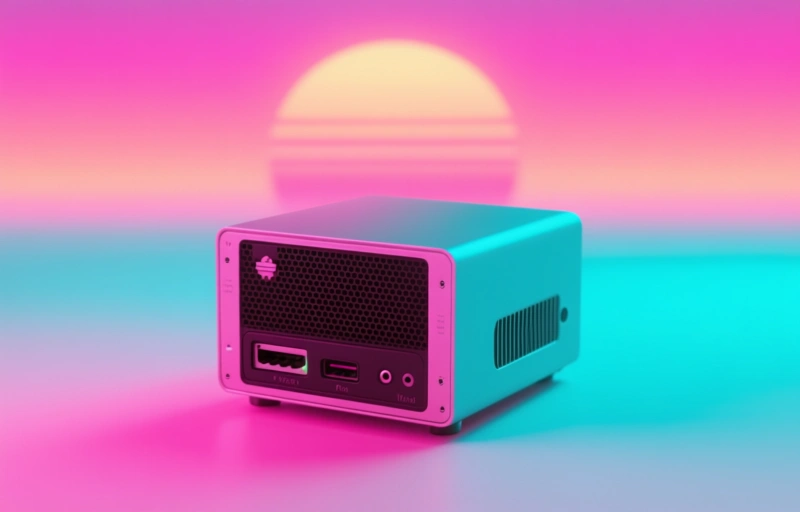
**Ports:** This is crucial for a mini PC. You want plenty of USB ports (including the faster USB-C/Thunderbolt 4), HDMI or DisplayPort for monitors, and maybe even an Ethernet port for a stable connection.
As one industry watcher noted, *'The best tech isn't the most expensive; it's the tech that disappears into your workflow and just works.'* That's the goal with a mini PC.
### Making Your Final Decision
Before you click 'buy,' think about the physical space. Measure your desk or entertainment center. These units are small, but you still need room for airflow. Also, consider the operating system. Many come with Windows 11 Pro, which is great for business features, but Home edition is fine for most people and sometimes cheaper.
Finally, check the warranty and support. A one-year warranty is standard, but some brands offer more. Good customer support can save you a huge headache down the line.
So, take a breath. You don't have to decide right this second. But with the current deals floating around, you're in a great position to find a powerful little machine that fits your life perfectly—and your budget. Happy hunting!